
For Tesla Powerwall 3
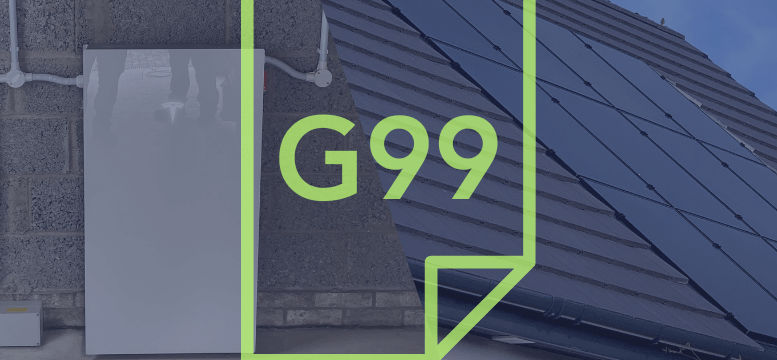
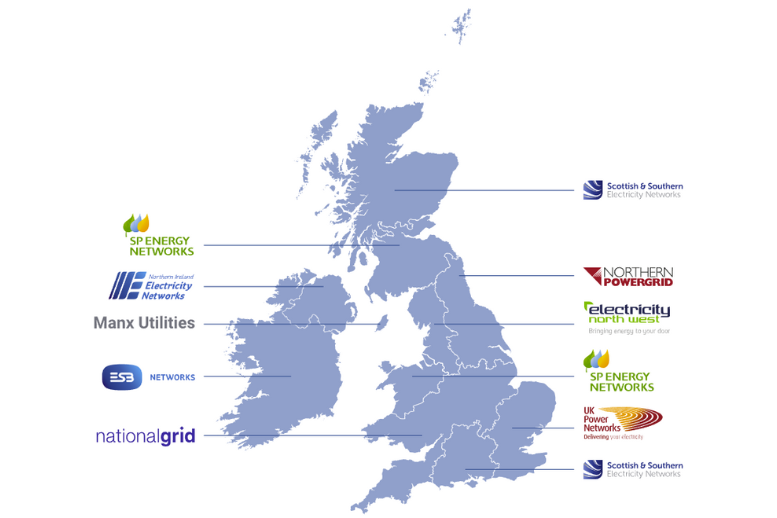
When installing a Tesla Powerwall 3 alongside a solar PV system, working with your local Distribution Network Operator (DNO) is essential. The DNO ensures your system complies with grid regulations, which can influence your battery settings and export limits. In Scotland, for example, the DNOs are SSE and Scottish Power. Below is an easy-to-follow guide on how DNO regulations like G98 and G99 may affect your installation.
What is the G98 Regulation?
The G98 regulation allows you to connect systems with an output of up to 3.68kW (equal to 16 amps) to the grid without prior approval or fees. This limit applies to both your solar panels and battery system combined, making it a simple and cost-effective option for smaller installations, combating climate change.
Why Does the G99 Regulation Matter?
If your solar panels and battery system together exceed 3.68kW, you’ll fall under the more complex G99 regulation. Even if your Tesla Powerwall 3 doesn’t export energy to the grid, the DNO considers it part of your generation system. For instance, if you have both a solar PV array and an AC-coupled battery system, the combined power could push you into G99 territory, requiring approval.
Power During an Outage: The Role of “Islanding”
One key feature of the Tesla Powerwall 3 is its ability to keep your home powered during an outage, known as “islanding.” However, if your Powerwall is capable of islanding, your system automatically requires a G99 application, even if your system doesn’t exceed the 3.68kW limit.
How G99 Applications Work
A G99 application is required for any system that outputs more than 3.68kW per phase to the grid. Note that this applies to the continuous output from your battery (on the AC side), not the capacity of your solar panels or battery storage. The DNO can take up to 45 working days (around 3 months) to process your G99 application and provide an Offer Letter, detailing any associated costs. Sometimes, there are no fees, but additional costs such as admin fees, testing fees, or even network upgrades may be required.
Understanding DNO Costs
DNOs interpret regulations differently, meaning costs can vary widely. Some applications are approved without any fees, while others may involve significant costs. This makes it difficult to predict the exact charges in advance. Thankfully, experienced installers like Ceiba Renewables often have good relationships with DNOs, which can help streamline the process and reduce costs, especially for witness testing.
What If G99 Costs Are Too High?
If the G99 Offer Letter is too expensive, there’s an alternative: designing the system with Export Limitation. This limits the output of your solar PV and Powerwall to 3.68kW each, which can sometimes avoid the G99 fees altogether.
The G99 Fast-Track Process
Some DNOs offer a G99 Fast-Track option for systems where both the battery and solar PV are capped at 3.68kW. This fast-track process has no fees and a quicker approval time, but its availability can vary. Crucially, the Fast-Track is not available for batteries that work during power cuts.
Choose the Right Output Setting for Tesla Powerwall 3
Option 1: Apply for the Full 11.04kW Output
One approach is to apply for the total 11.04kW output and see what the DNO says. While the DNO may impose fees or require a longer approval process, applying for the maximum output ensures that you future-proof your system for potential upgrades or increased energy needs. If approved, you can take full advantage of your Powerwall 3’s capabilities and maximise energy storage and output, especially in scenarios like energy trading or high-load usage.
Option 2: Size the Powerwall Output Based on Your Solar PV
Another strategy is to size the Tesla Powerwall 3’s output to match your solar PV output, which could make the approval process smoother and quicker. For instance, if your solar system produces around 7kW, you might choose a 7kW output setting for the Powerwall. This aligns the battery’s output with your solar generation, preventing unnecessary energy clipping and ensuring optimal energy use.
This option can also help avoid costly fees or lengthy approval processes, as the DNO may find it easier to approve a system sized to balance with the solar generation rather than maxing out at the 11.04kW setting.
Considering Solar Panel Orientation

Comparing Discharge and Charge Rates
With multiple output options, it’s also important to consider the impact on discharge and charge rates. For example, if your battery discharges at 11.04kW, a fully charged 13.5kWh battery will last for around 1.2 hours under heavy load (13.5kWh / 11.04kW). In contrast, a 3.68kW setting would last approximately 3.66 hours under the same conditions, offering greater endurance but slower power delivery.
Choosing the right setting depends on how you intend to use the Powerwall. If fast charging during off-peak times is a priority, higher output settings like 10kW or 11.04kW could be advantageous. However, if you’re more concerned with extending battery life during power outages, a lower setting like 3.68kW or 5kW may be more suitable.
Which Setting is Best for You?
Ultimately, the right output setting for your Tesla Powerwall 3 depends on your unique circumstances. If you have a solar system that generates 4.5kW or more, applying for the 11.04kW setting may give you the flexibility to maximize energy usage. However, if you’re concerned about DNO approval times or fees, sizing the output to your solar PV generation (for example, 6kW or 7kW) may result in faster approval and fewer complications.
As always, you can work with your installer to adjust your settings if needed, and you can even reapply with different settings based on the feedback from the DNO.

Let’s Create a Sustainable Future Together
Contact Ceiba Renewables today for a free site assessment and customised proposal.